Full display, zero crop
The complete Mac screen stays visible and aligned next to your tools. Switch displays without reconnecting.
 Mac Remote
See the whole display, move the pointer, type, launch apps, and send files—from your iPhone on the same Wi-Fi or from anywhere over the internet, even on mobile data.
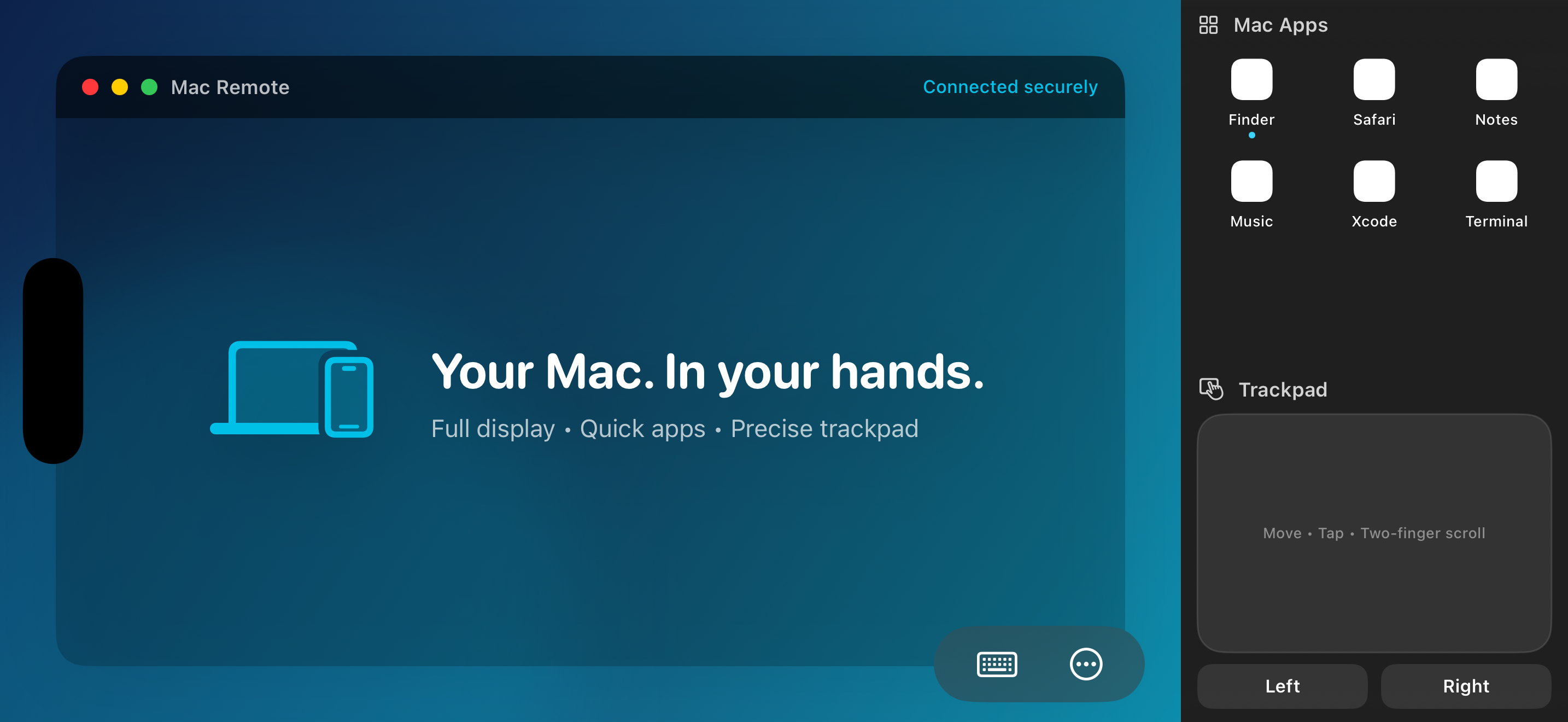
The complete Mac screen stays visible and aligned next to your tools. Switch displays without reconnecting.
Tap exactly where you mean, or use a precision relative trackpad with click, right-click, drag, and scroll.
Type with the iPhone keyboard, launch running Mac apps from the launcher, send files, and sync the clipboard.
Add free Tailscale to both devices and reach your Mac over mobile data or any Wi-Fi — no router setup. It even stays reachable with the screen off.
A free Apple ID works — no paid developer membership required. The iPhone build is installed from Xcode, so a Mac with Xcode 15+ is needed once for setup.
Install Homebrew if you don't have it, then generate the project from the repository root:
Open MacRemote.xcodeproj in Xcode. Free Apple accounts need globally unique IDs: in project.yml, change com.example.MacRemote.host and com.example.MacRemote.mobile to something like com.yourname.macremote.host / .mobile, then run xcodegen generate again.
For both targets (MacRemoteHost and iPhoneRemote): Signing & Capabilities → Team → choose your name ("Personal Team"). Xcode provisions everything automatically.
Select the MacRemoteHost scheme, destination My Mac, and press Run. Grant the two permissions it asks for: Screen Recording (to stream the display) and Accessibility (to accept clicks and typing) — System Settings opens at the right pane from the app's Permissions tab.
Connect your iPhone by cable, select the iPhoneRemote scheme with your iPhone as the destination, and press Run. First launch needs one-time trust: iOS Settings → General → VPN & Device Management → Trust your developer certificate.
With both devices on the same Wi-Fi, your Mac appears in the iPhone app. Tap it, tap Pair New Device on the Mac's Devices tab to show the code, enter it on the iPhone — done. This pairing is remembered forever.
Tap Connect, then Start Remote Control: tap to click, long-press to right-click, drag to move, two-finger scroll, and use the launcher and trackpad on the right.
Install the free Tailscale app on both devices and sign in to the same account (use your real email — don't choose "Hide My Email"). Keep the VPN on, connect once over Wi-Fi, and your Mac gains a VIA INTERNET badge: reachable from cellular or any network, with no router configuration.
Apps signed with a free Personal Team need reinstalling from Xcode every 7 days (an Apple limitation). For lid-closed control, keep the MacBook plugged in — on battery it always sleeps. A shut-down Mac can't be reached; use Wake Mac for sleep.
Full setup guide →
Download the Mac build and iPhone developer package, or clone the complete MIT-licensed source from GitHub.
Host application · ZIP
Developer IPA · requires signing
Mac + iPhone · ZIP
The iPhone IPA is an unsigned developer package — Apple requires signing it with your own team before installation. For the smoothest setup, download the source and run the iPhone target from Xcode.
Yes. Pair once on the same Wi-Fi, then install the free Tailscale app on both the Mac and iPhone and sign in to the same account. Your Mac shows a VIA INTERNET badge and connects from cellular or any other Wi-Fi — no router configuration needed.
Yes. The Mac stays reachable while its display sleeps — only quitting the app or powering off takes it away. Trackpad and keyboard keep working blind; video resumes when the display wakes. A lid-closed MacBook on battery still sleeps, so keep it plugged in.
Keep both devices on the same Wi-Fi for the first pairing, and avoid guest or corporate networks that isolate clients. If Bonjour is blocked, use Add by IP Address with the address shown in the Mac app.
No. Screen and input traffic goes directly between your iPhone and Mac. On the same network it never leaves your Wi-Fi; over the internet it travels peer-to-peer through Tailscale's encrypted tunnel, which relays only when a direct path isn't possible — and even then it stays end-to-end encrypted between your devices.